
Disclosure: A review unit was provided by Pixel FX for evaluation purposes. Pixel FX had no influence over the content of this review, and all opinions expressed below are entirely our own.
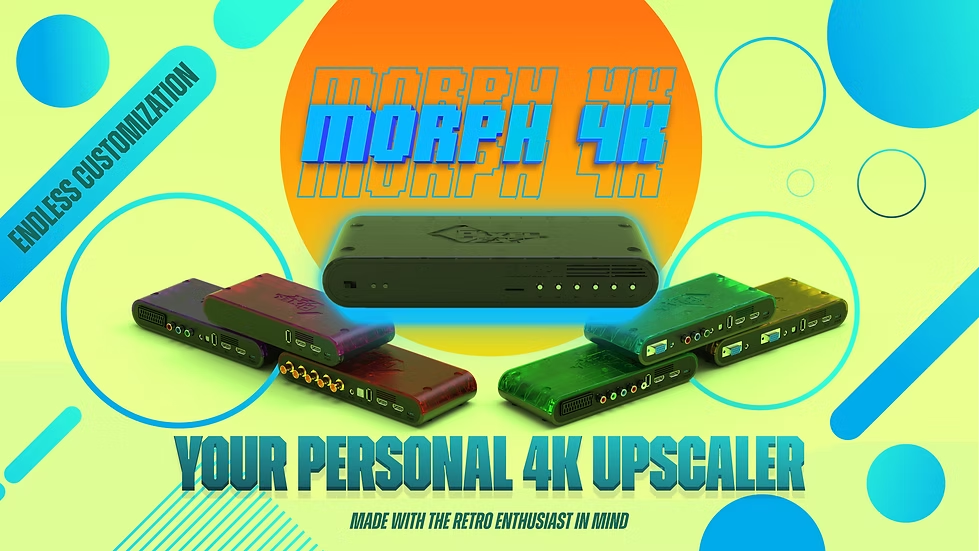
The Morph 4K is a high-end video processor designed to scale retro video signals cleanly and reliably for modern displays. In its most basic configuration, the Morph 4K works perfectly well as a plug-and-play solution. With no additional processing enabled, its vanilla upscaling delivers a sharp, stable, and accurate image straight out of the box. You can connect it, select a resolution, and immediately get excellent results without touching advanced options.
Like other high-end scalers, the Morph 4K also offers access to more advanced image controls for those who want them. These features are optional, but they allow the final image to be shaped well beyond basic upscaling and adapted to both personal preference and display behavior.
Context and Scope of This Review
There are other high-quality scalers on the market that can reasonably be considered comparable to the Morph 4K. However, those devices were not available for hands-on testing during this review, which means this is not a direct comparison article. Instead, the Morph 4K is evaluated on its own merits, based on real-world use and how it performs across different configurations. This keeps the focus on practical results rather than theoretical comparisons.
Build Quality and Hardware
The Morph 4K feels solid and well constructed. The enclosure is sturdy and understated, with a design that fits naturally into a modern AV or retro setup. Port placement is logical and the unit gives a strong impression of being carefully engineered rather than rushed.
While some users have reported that the Morph 4K can run warm, our review unit was never hot to the touch, even after extended sessions lasting several hours.
Image Quality and Vanilla Upscaling
With masks and scanlines disabled, the Morph 4K delivers excellent results immediately. Vanilla upscaling is clean and precise, with sharp pixel edges, stable motion, and no unnecessary processing. Low-resolution sources retain their original character without being softened or altered. In this configuration, the Morph 4K is genuinely plug and play, requiring little more than initial resolution selection.
Scanlines, Masks, and Display Dependency
Enabling scanlines and masks opens up more detailed control over the image. As with any scaler offering these features, results depend heavily on the display being used. Modern flat-panel displays vary widely in panel type, subpixel layout, brightness response, and internal processing. Presets that look balanced on one screen may appear too strong, too subtle, or simply incorrect on another.
Because of this, manual tuning is often required when using masks and scanlines. Adjustments to strength, brightness, and sharpness are usually needed to achieve the desired balance. This is not a limitation of the Morph 4K itself, but a consequence of how different displays behave. Importantly, the Morph 4K provides the tools necessary to compensate for these differences.
Once properly tuned, the results are excellent. With the right adjustments, scanlines and masks can produce a convincing CRT-like presentation that feels well matched to the display in use.
Preset System and Daily Use
The preset system is one of the Morph 4K’s most useful features. Presets can be created and assigned per system or per game, allowing different visual profiles without constant readjustment. This makes it easy to keep vanilla upscaling for some content while applying more complex visual treatments to others.
The on-screen display is designed around detailed control. While it offers a wide range of options, the layout is logical, and regular use quickly makes navigation and adjustments feel natural.
Integration and Firmware Support
In modern retro setups, particularly when paired with MiSTer FPGA, the Morph 4K integrates cleanly and predictably. It handles common retro resolutions well and fits comfortably into HDMI-based signal chains.
Firmware updates have been consistent, refining behavior and expanding functionality over time. This ongoing support helps ensure the Morph 4K continues to improve and adapt to different use cases.
Final Thoughts
The Morph 4K works well in two distinct roles. If you are only interested in clean, accurate upscaling, it functions as a straightforward plug-and-play device that delivers excellent results out of the box. If you want to use scanlines and masks, it offers the depth and flexibility needed to fine-tune the image to your display, with the understanding that manual adjustment is often part of that process.
Because scanlines and masks can behave very differently depending on the display, having a basic understanding of how they work is important. To help with this, we have written a dedicated guide that explains the fundamentals of masks and scanlines and walks through the tuning process step by step. The goal of that guide is to make the setup process clearer and help users reach good results more quickly.
Judged on its own terms and through hands-on use, the Morph 4K delivers strong results across both use cases. Whether used simply or pushed further through manual tuning, it provides a high level of control and image quality for modern retro setups.
Visit the official Morph 4K page here.
For people who like me use or want to use a HDMI switch in between their consoles/computers/etc and the Morph4K:
Be aware that it is possible that the HDMI switch ‘can’ filter out the ID that the Morph4K uses for things like auto-preset switching. Whether or not the HDMI switch will do this is hard to predict, as apparently the specs of the switch don’t indicate this and it’s hit-or-miss if it will filter it out. Apparently most HDMI switches do this; at least that’s what the person who told me this info via Discord said. I personally have been lucky with my switch. And due to this being caused by the switch, this not only applies to the Morph4K but also a RT4K etc I was told, as it uses that same ID in the HDMI signal. I assume this does not apply to the HDMI module for the upcoming Infinity Switch.
Thanks for your addition on the HDMI switches! can you name your specific hdmi-switch for those who are interested in using multiple hdmi devices with their Morph 4K?
It was the Rytaki 8K HDMI 2.1 Switch
Additional info in those endlessly long Amazon titles: 4K 120Hz, HDMI Switch 5 in 1 Out with IR Remote Control, 5 Port HDMI 2.1 Splitter 8K 60Hz for Xbox PS5 PC TV
https://www.amazon.de/-/en/dp/B0CC4LGH2C
Awesome, Thank you!
It says that it’s currently unavailable.
True, but if you look right above it, it should give 3 available alternatives which are basically the same thing.
All are clones of each other, they all cost about the same amount too.
The one I have is likely just a clone too. I have no idea, other than that it works for me 😉