
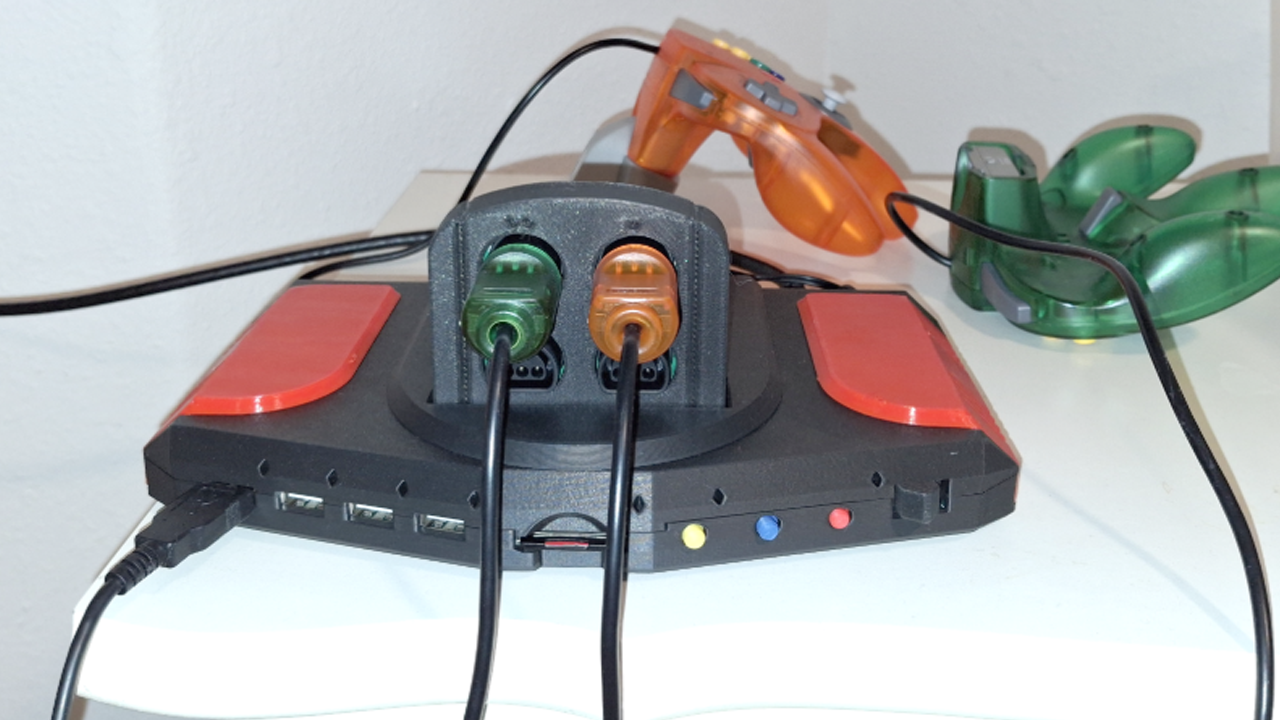
THE FIRST GENERATION – DIY
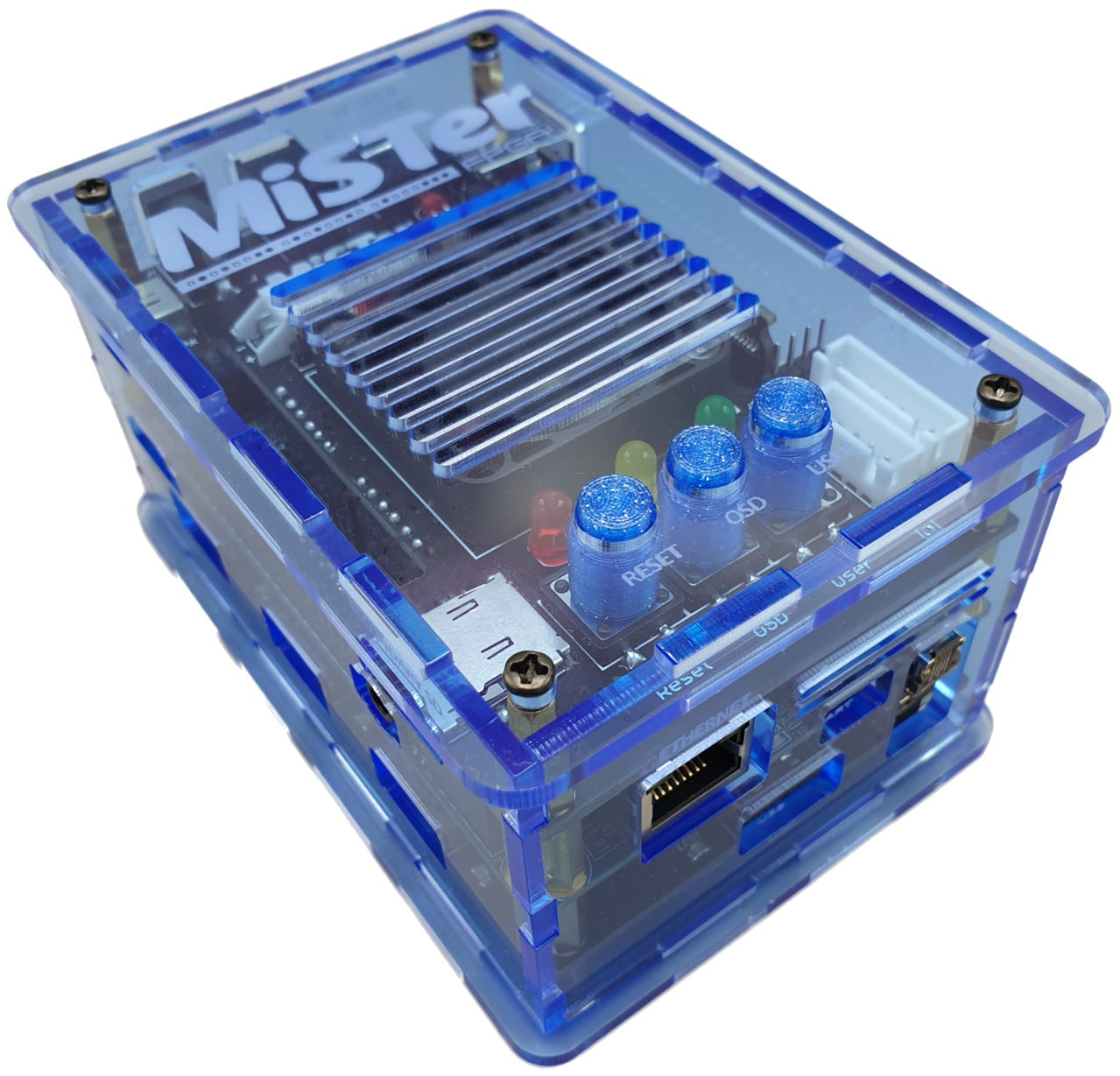
The next year, I did another build with a second DE10-Nano, a 128MB SDRAM board, an analog I/O board, a USB board, and an acrylic case. Putting it all together, while it looked somewhat complete, it still was very much a Do-It-Yourself (DIY) system. At least I could play all of the cores that existed at the time and I was quite happy.

THE SECOND GENERATION – CONSOLIZE IT
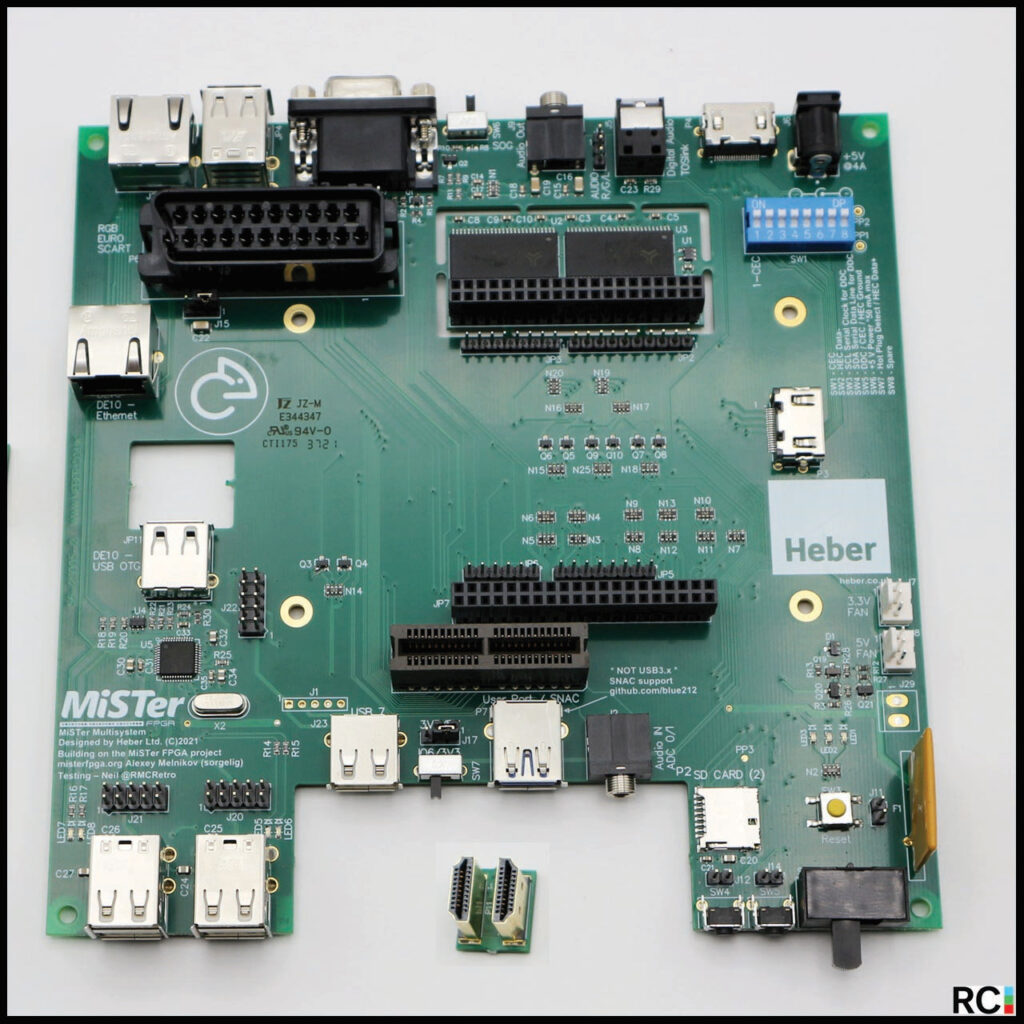
Then I learned about the MiSTer Multisystem (MMS1) from Heber over in the UK which was an effort to “consolize” the MiSTer. They had produced a board you plug the DE10-Nano into which basically replaced the analog I/O board, the USB board, and the SDRAM board… and offered a slot for SNAC adapter cartridges as well as a few other add-ons. It wasn’t just a board though, it was accompanied by a case design you could buy from them or 3D print yourself. I bought two more DE10-Nano boards for two Multisystem setups. I wasn’t into SNAC at the time and didn’t try the cart slot.
I decide to give away my first two DIY style MiSTer systems to some YouTubers to see if they’d create some MiSTer related content. That didn’t work out too well as both were more into original hardware and didn’t seem to get the whole FPGA magic. Some experiments fail but there were no hard feelings.
The Multisystems were my daily drivers for quite some time. I have a gray case and a black case. They continue to work well. I have loaned one out to a co-worker
THE THIRD GENERATION – DIY STYLE BUT MORE AFFORDABLE
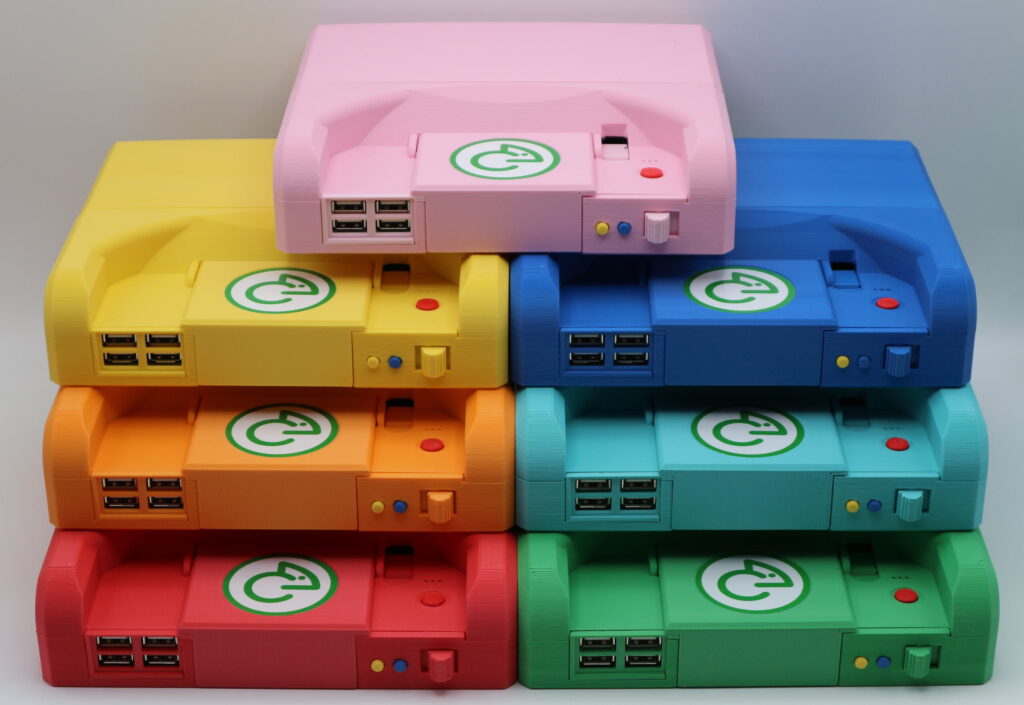
QMTech came out with a DE10-Nano clone board… and so did Retro Remake, the MiSTer Pi. A lot of people didn’t seem to like the “MiSTer Pi” name but I dug it. The price of the these boards and full systems made from them, really brought down the price of a full MiSTer FPGA setup. I bought two MiSTer Pi DUAL-RAM setups. The MiSTer Pi is pretty sweet and the design, with a smaller I/O board adapter that could be easily removed to allow for DUAL RAM or put back in place for analog outputs is great. I haven’t tried any analog displays yet so I primarily use them for the two cores that can take advantage of the DUAL RAM setup… the Sega Saturn / ST-V and the work-in-progress Atari Jaguar core. I’m a big Atari Jaguar fan so I was really wanting a DUAL RAM setup. Now I can easily test both DUAL RAM and SINGLE RAM setups.
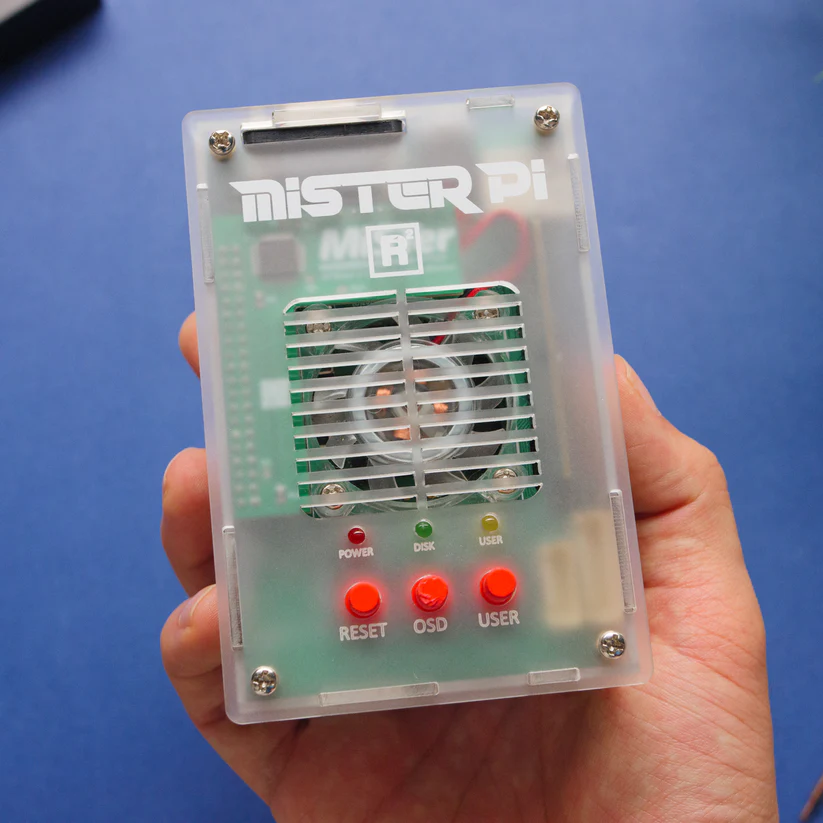
The only thing I didn’t like about the MiSTer Pi was that it too looks like a DIY system with ports on all four sides. I attended LinuxFest Northwest in Bellingham, Washington in 2024 and 2025 and gave presentations on the MiSTer showing off all of my setups. I think the DIY designs scared off quite a few non-DIY type folks.
THE FOURTH GENERATION – CONSOLIZE IT IN STYLE AND MORE AFFORDABLY
Retro Remake announced the SuperStation One (SSO) in January of 2025. I honestly wasn’t paying close attention to their projected release date and pre-or dered one, only to later discover they weren’t supposed to ship until the 3rd or 4th quarter. I also put down a deposit for the Dock add-on. For whatever reason, I assumed that Retro Remake would pull off another miracle and have the SSO shipping in a few months. That mistake was totally my fault, but I definitely still want one and had no desire to cancel my order. The SSO has since hit a few delays. I got an email asking if I wanted to wait until the Dock was also ready to ship so both the SSO and Dock could be one shipment rather than two. Remember, it’s coming from China and shipping to the US is NOT cheap. That might delay it another month or so, but I already have several MiSTer setups to use, so I decided to save money. I ordered the gray case one and for whatever reason they have decided to put the transparent blue case in production first. I’m not sure when I’m going to get it but maybe in January or February 2026.
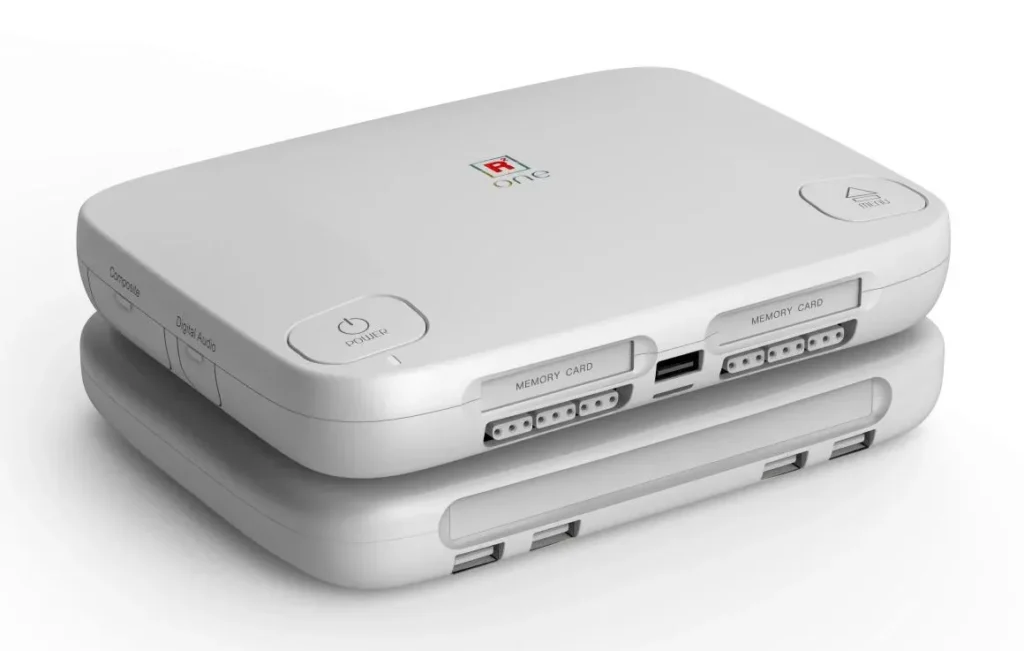
As everyone surely already knows, the SSO is styled after the Sony Playstation One and has two Playstation SNAC connectors on the front. I don’t currently have any original Playstation controllers but I plan on getting some. The SSO has like 5 or 6 analog connectors that can supposedly all be used at the same time. As a result, no DUAL RAM option.
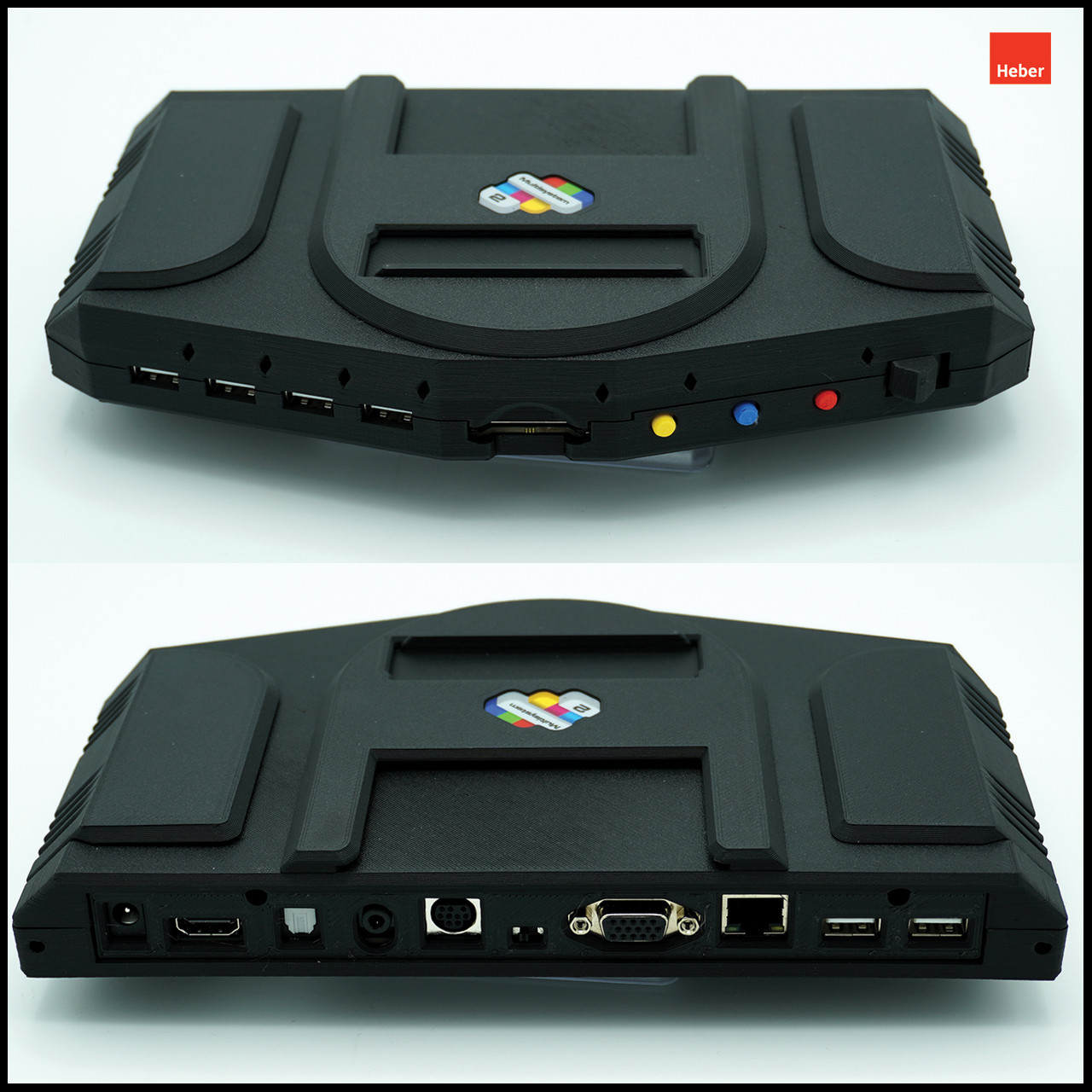
I couldn’t find when Heber first announced the MiSTer Multisystem 2 (MMS2) was in development but the first video I see on YouTube is an “update” dated February 17th 2025. They offer two models. The Analog has multiple analog outputs, ethernet and the cartridge port. The Digital is missing all of those and only offers an HDMI output. Both have the Cyclone V FPGA built-in so no DE10-Nano needed. The are only offering it in a sold black 3D printed case. While I have yet to use an analog display with any of my MiSTer FPGA systems, I still want the ability to do so if and when I decide to give that a try, so I ordered the analog version. Neither version offers a DUAL RAM capability. Heber published a development update video on YouTube in May saying the design of the board and the case had been finalized and the systems were going into production mode with an estimated ship date of August 10th. August 10th is my birthday so I saw that as a good sign although since they are based in the UK, I knew it was unlikely I’d get it on nor near my birthday.
MISADVENTURES WITH THE MULTISYSTEM 2 – USB PORT ABUSE
Prior to the Multisystem 2’s arrival, Heber released the 3D print files for the case. I happen to work at a University that has a Maker Space and wanted to jazz up my system a bit so I had the side panels and the cartridge cover 3D printed in Red. I was going for an Atari Jaguar color scheme. My Multisystem 2 arrived on September 23rd and I was happy to see there weren’t any tariff charges. I unboxed it and switched out the side panels and cart cover with my red replacements. I took an existing microSD card I had been using with one of the Multisystem 1 systems and put it in an SD card adapter as the MMS2 takes full sized SD cards.
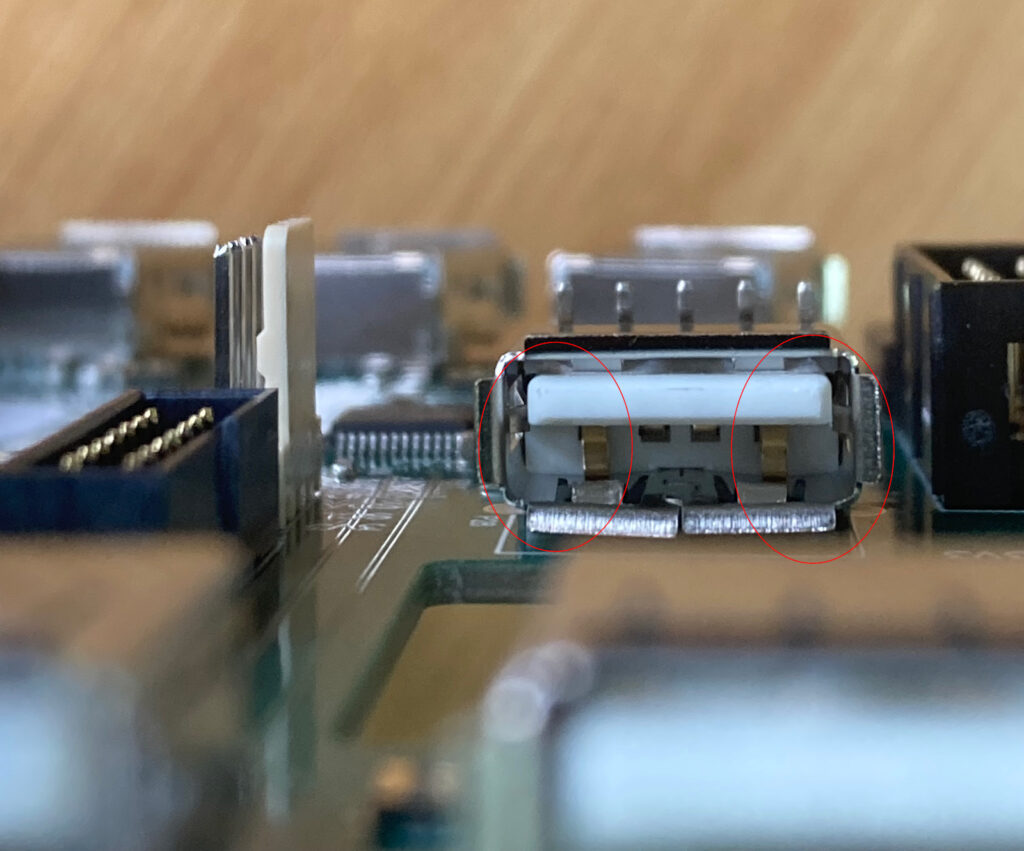
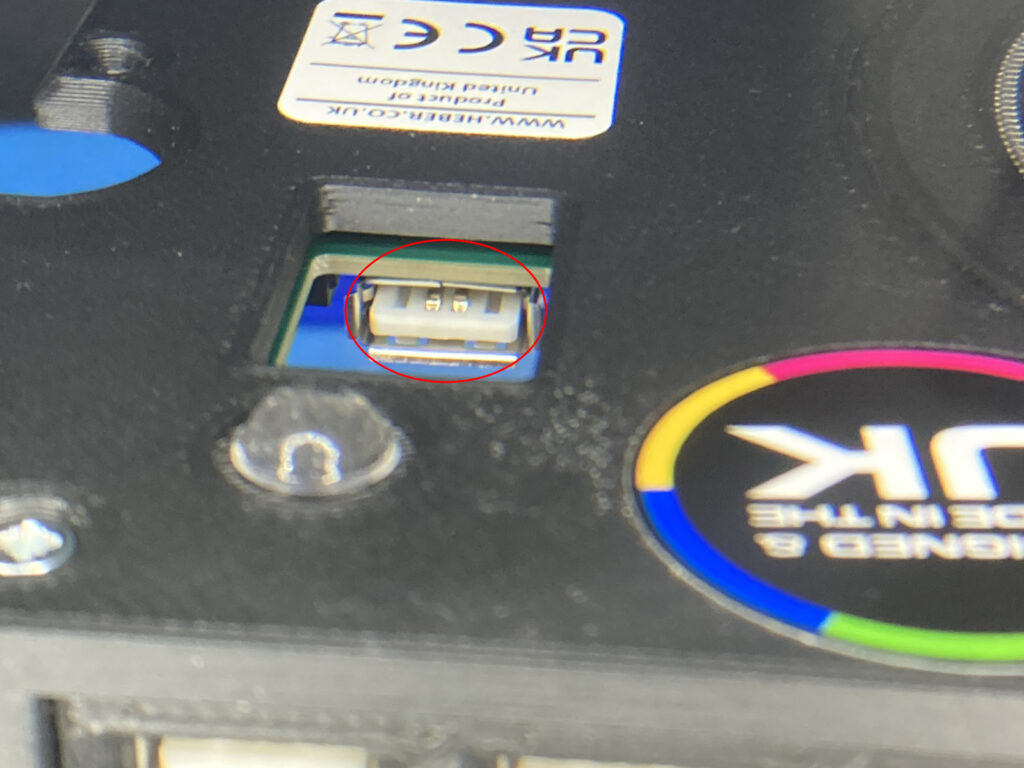
I have a few USB adapters that I’ve been using with all of my MiSTer systems that provide wifi and bluetooth connectivity. I plugged the USB adapter into the back of the MMS2 and turned it on. For whatever reason, the wifi adapter wasn’t recognized. So, I moved it from one USB port to the next trying it over and over. There are two USB ports in the back, neither recognized the adapter, so I moved on to the front. There are four USB ports in the front. It wasn’t recognized there either. I remembered there is an internal USB port that is primarily made for adding a Zaparoo NFC reader (which I haven’t purchased / tried yet) or any other USB device you might want to use. There is a cut out in the MMS2 case on the bottom under the internal USB port for running cables from the main case to an optional slice tray. I don’t remember if I did this nor not (I might have)… but it is totally possible I attempted the plug in the wifi adapter through the bottom case cutout only to discover it wouldn’t fit and ended up taking the left side panel off to more easily access the internal USB connector. When I plugged in the USB wifi adapter, it didn’t seem to go into the port as deeply as it did with the rest of the ports and I could see more of the connector sticking out. I turned the MMS2 on again and again, the wifi wasn’t recognized. Since the adapter didn’t seat in there as deeply as I thought its should, and that could have totally been my imagination (I’m old), I thought I’d give it a tight squeeze just to see if I could make it go in any further. Nope. Then I turned the system on again only to discover that none of the USB ports worked anymore. That’s seven ports that stopped working. I had somehow killed my brand new system within an hour or two of getting it out of the box.
After that experience, I was so frustrated with myself. I felt so stupid. I used Heber’s “Contact Us” form on their website… explaining what had happened. They replied a couple of hours later saying that I must have fried the USB controller somehow. They mentioned that the cutout on the bottom of the case wasn’t for inserting USB devices but for running connections from the MMS2 system to an optional bottom slice and wanted to know if I had tried plugging in a USB device via the bottom cutout. I honestly couldn’t remember if I had tried that or not (remember when I mentioned I’m old?) as I definitely did take off the side panel and plugged it in from the top. They said I could ship it back to them, gave me the shipping address, and said they’d check it out once they had received it. I knew shipping it back to the UK wouldn’t be cheap and I was so disappointed with myself that I was depressed about the whole thing and kept putting off going to the post office… which wasn’t really convenient with my work schedule anyway. I let it sit around for about three weeks before I finally got it shipped which cost me around $31 for the slower shipping. I guess it took about a week and a half to two weeks before they got it.
Richard from Heber emailed me and included two pictures showing that the connector lines inside of the internal USB connector were bent up, shorting out the USB controller on the motherboard. He said they had repaired it and would be shipping it back to me free of charge soon. He later emailed me with a link to a volunteer tariff fee payment order form and suggested I purchase four 5 pound (20 pounds total) tariff offsets as there was no way they could avoid paying the tariff with this second shipment. I agreed to do that (and actually bought five of them) and also added a Nintendo 64 4-port SNAC adapter cartridge to the order. As previously mentioned, I hadn’t tried SNAC before and wanted to now. I just so happens that last Christmas I bought an Everdrive cartridge for the Nintendo 64 for my older son who has an original N64… and I also picked up four new / reproduction N64 wired controllers to go along with it as the two controllers he had were worn out. Point being that I had access to four original N64 controllers to use with SNAC on the MiSTer FPGA.
TURNING A MISHAP INTO A WIN
It took about two weeks but the package finally arrived on November 24th. I found a different USB wifi adapter and this one actually worked. I must say that the Nintendo 64 4-port SNAC cartridge is really cool looking. The outside of the cartridge is also 3D printed. They include a bottom cartridge edge dust cover.
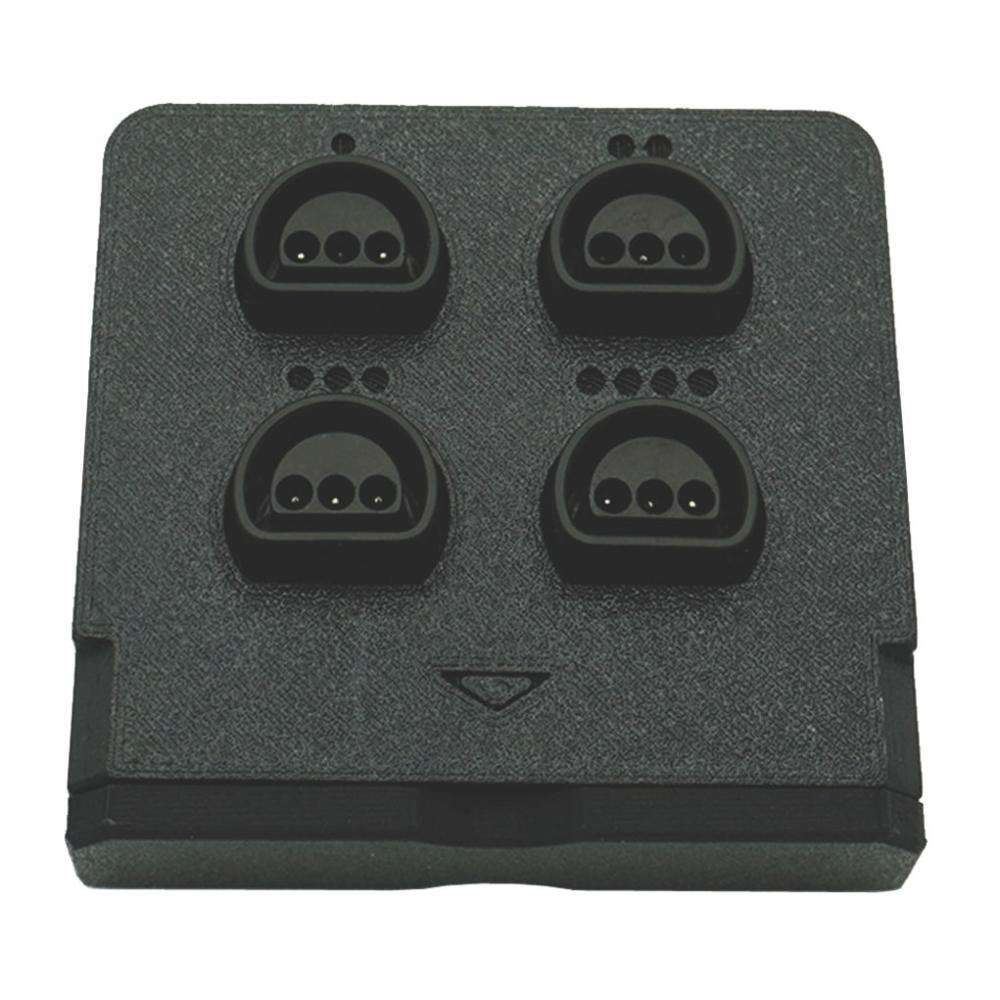
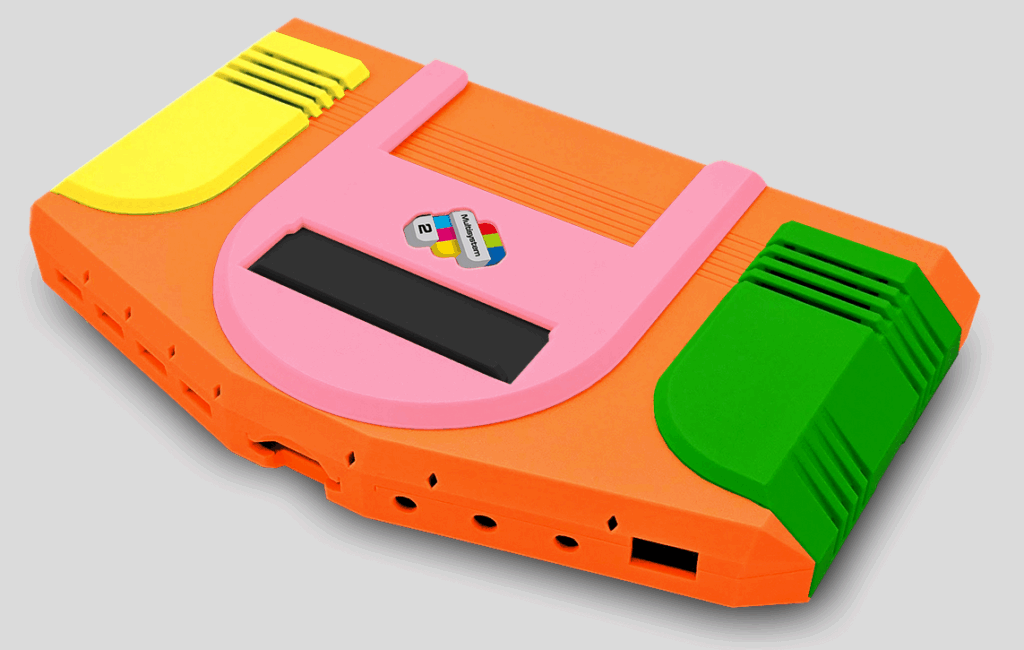
Some folks don’t like the 3D printed stuff and think they look cheaper than the injection molded cases which cost a lot more money to have manufactured. I must admit that I originally was in the camp that didn’t like the 3D printed case… but given that Heber released the 3D print files and if desired, you can produce any color combination you want… and I had gotten red side covers and cart cover… I have definitely changed my mind. There is a site in the UK that has a web form where you can customize the color of any and all parts of the case to make a completely customized system that it will visualize for you. That site is a bit expensive (I only paid $7 for the red parts I got from my Maker Space) especially with shipping from the UK. I’m sure others will eventually come up with different case styles, most likely openly available. That’s what happened with the Multisystem 1. So, who knows what future cases might become available for the MMS2?
TAKING THE NEW SYSTEM FOR A SPIN
Over the Thanksgiving holiday weekend, I took the MMS2 with me to my in-laws house. My two sons and I played quite a few rounds of N64 games including a three player session with Mario Kart. Using the native N64 controllers was super easy. I just had to set the controller type to “SNAC” in the On-Screen-Display (OSD) and save my settings. While I had played a few N64 games with my older son on his original N64 back in the day, I never spent much time with it and had never become comfortable with the N64 controller. Over the holiday, I went through a few in-game tutorials and feel like I finally get the N64 controller. I had previously tried with a fairly generic USB PC controller and could never get the hang of it. The N64 controller is just a one-of-a-kind and hard to map to a traditional style dual-stick controller. There just aren’t enough buttons. An original N64 controller, or a modern controller designed to provide all of the N64’s buttons, is the ONLY way to go. Trust me on that.
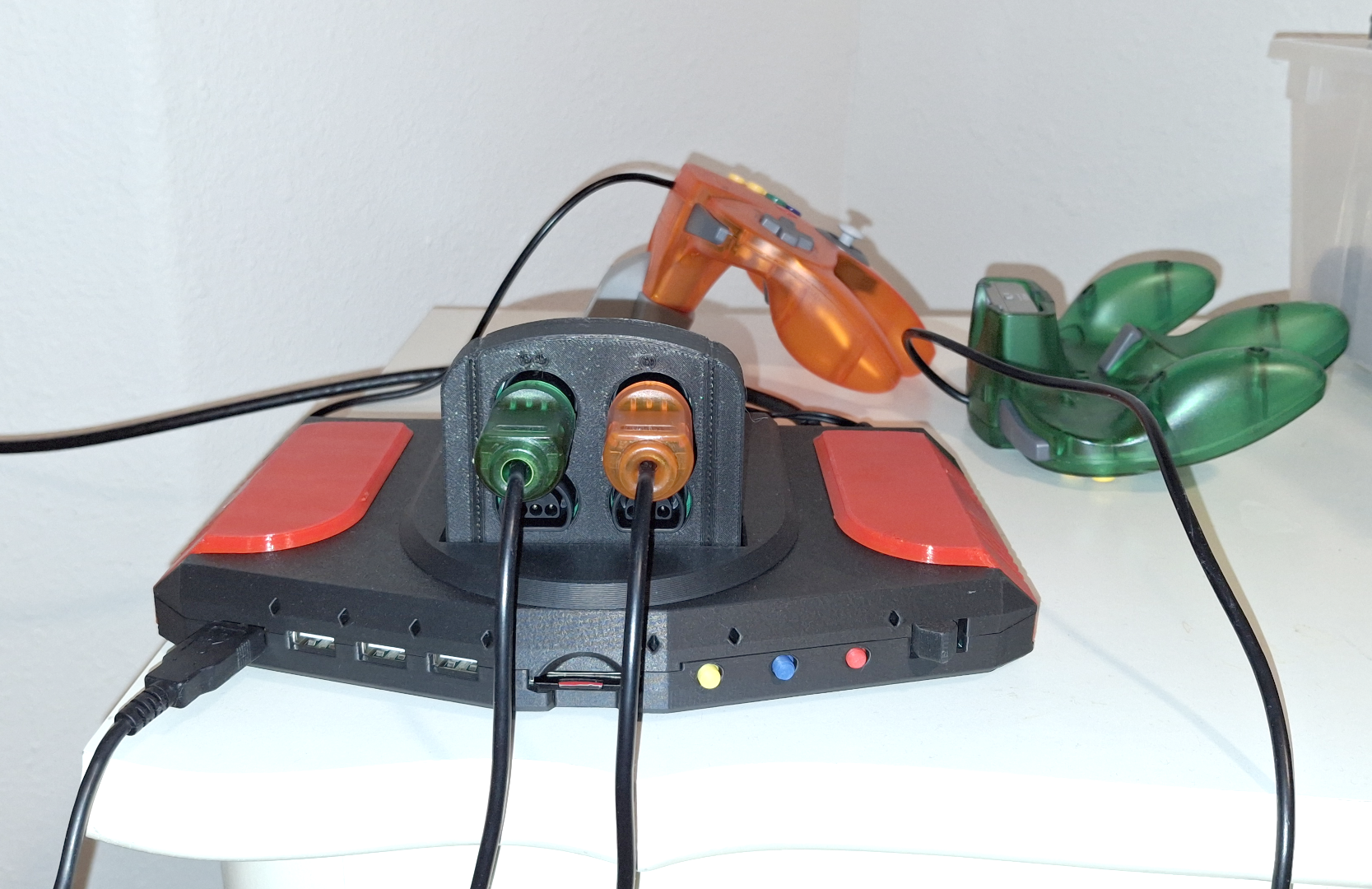
I’m sure I will be spending many more hours with the N64 core… and I’m definitely considering buying more SNAC carts in the future for the wide range of cores Heber has carts for. BTW, all the carts also work with the Multisystem 1.

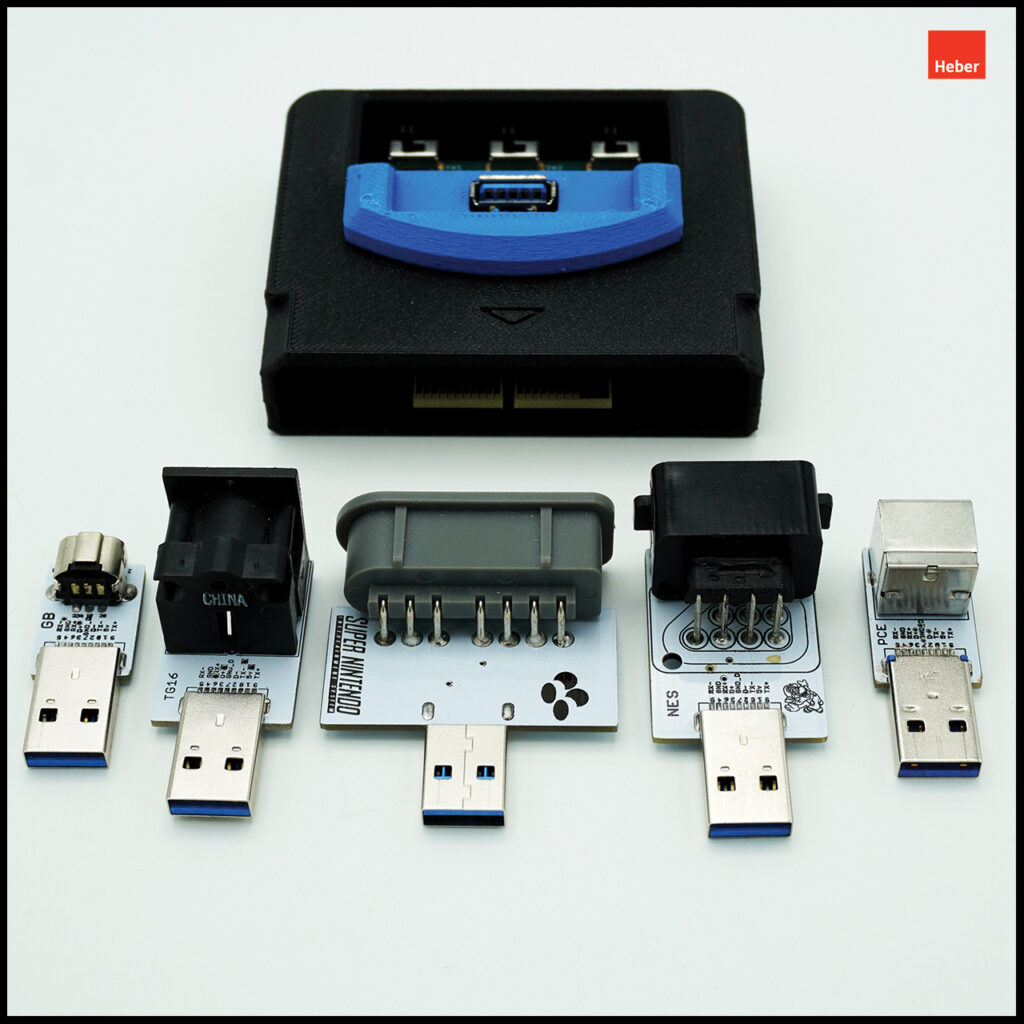
I know there was a bit of an uproar from some users who had a considerable amount of SNAC adapters for other MiSTer setups wanting to use those on the Multisystem 2. At first, Heber didn’t have a SNAC cart that provided a standard SNAC port (that looks like a USB port) but they have since come out with one to make those folks happy. I did get a SNES SNAC adapter free with my MiSTer Pi systems and that was a bit naked, hangs out from the case quite a bit, and just reinforces the whole DIY look. Quite a few folks use SNAC adapters that provide an HDMI style connector into which you plug in a somewhat long HDMI-to-native adapter for whatever native controller type you are wanting to use.
For the Atari Jaguar core, I bought a MiSTer Addons’ Reflex Adapt with an HDMI-to-Jaguar adapter. It isn’t SNAC-based as it plugs into USB but it provides low latency and allows me to use an original Jaguar controller. Supposedly there is not a SNAC option for the Jaguar because the Jag controller has more pins and than SNAC can accommodate.
Point being that those cobbled together SNAC recipes are just so cumbersome. While they fit in fine with the DIY style MiSTer setups, I imagine they really look out of place on the consolized setups. While there is an added expense in buying a bunch of SNAC carts, they are just a much more elegant solution and the experience of plugging in a cartridge and controllers into it is just so satisfying.
A MISTER IS A MISTER IS A MISTER – OR IS IT?
I like the MiSTer Multisystem 2 form factor. I think it looks great, and all of the cores I use (does anyone use every core?) work as expected. I can’t currently speak to the analog output features but I hope to be able to someday. All of SNAC carts available from Heber are just a bonus that allows one to use original controllers without having to sacrifice the elegance / style of the overall design. Those SNAC carts aren’t something any other MiSTer setups provide for.
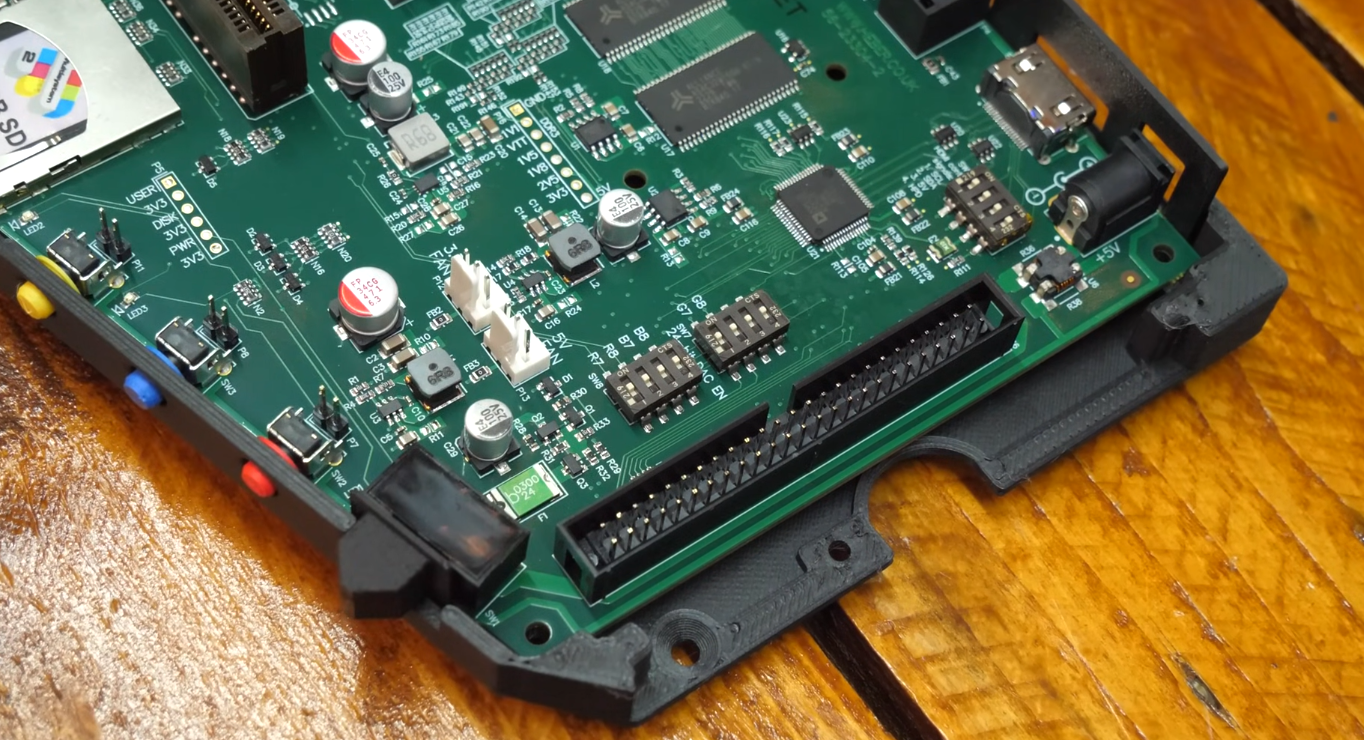
Another unique feature the MMS2 provides, although it has yet to be taken advantage of, is an all-new expansion connector located under the right side cover made up of 50 previously unused pins from the DE10-Nano design. Heber have already mentioned that they have done a few experiments using the 50-pin connector as an interface to original game cartridges. We’ll just have to wait a while to see how Heber and / or third party developers might take advantage of that expansion option. Admittedly, core code changes will be needed to take advantage of it but where there is a will, Heber has provided the way.
EXPRESS YOURSELF
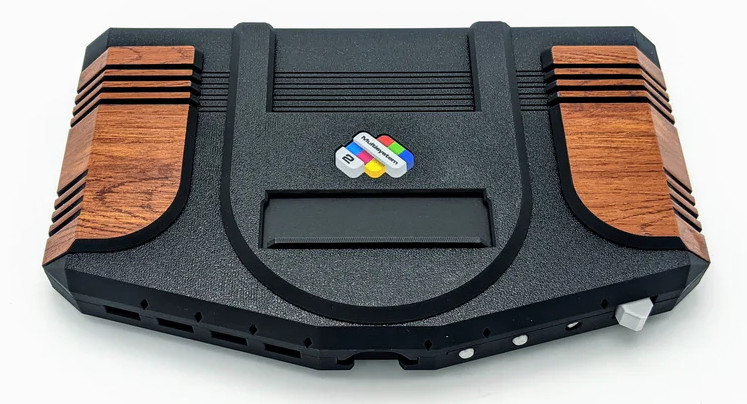
Want a unique case? Let’s face it, not all of us are 3D design experts… but one thing we can do is pick out our preferred color combinations and have various service providers print them out for us. Heber should be commended for providing the 3D print files and licensing them such that anyone can do what they want with them, including commercially selling derived designs and products. Heber even released the board design for the Multisystem 1. I don’t know if they’ll do the same with the Multisystem 2 board or not, but I wouldn’t be surprised if they did.
COMPARING APPLES AND ORANGES
How does Heber’s MiSTer Multisystem 2 compare to Retro Remake’s SuperStation One? Given that the SSO hasn’t shipped yet and I don’t have one to compare, I’ll just have to give you my best guess.
The SSO will have a injection molded case and look more commercial than the MMS2. The SSO has a Dock option that will provide for optical disk play although I’m guessing not many users will regularly use that feature and it will likely just be an underutilized novelty. The SSO is specifically targeting the PSX core given that it offers the SNAC ports built-in.
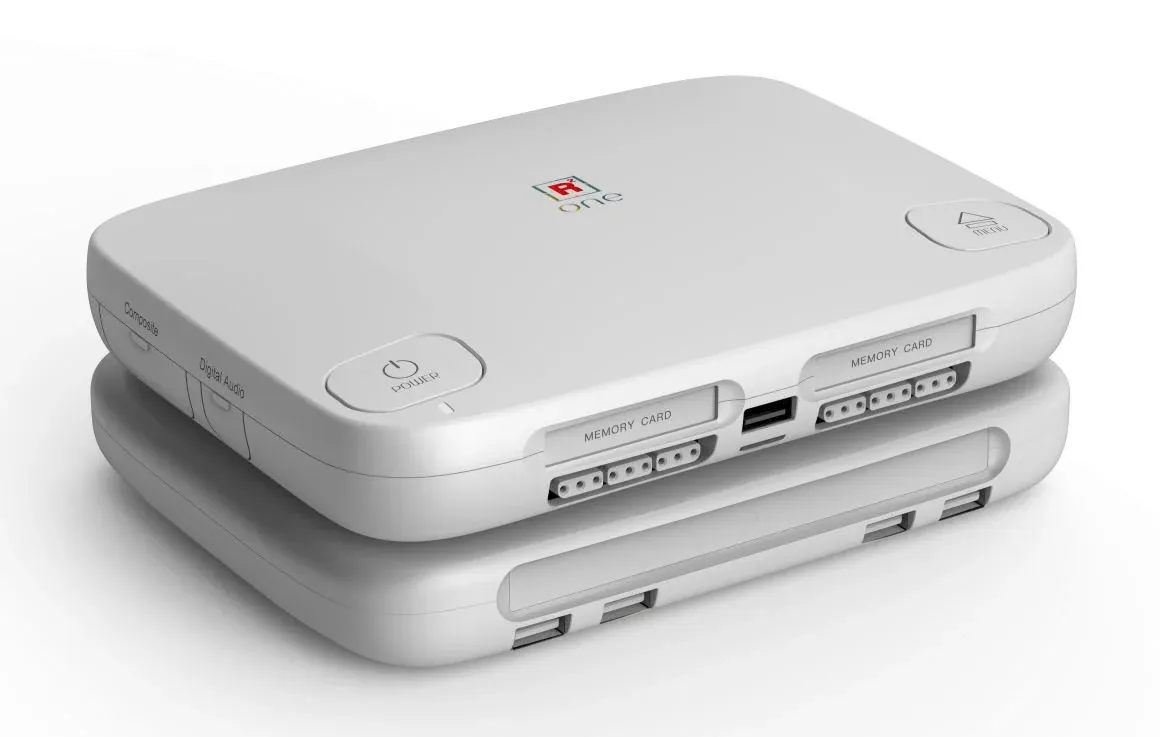
PSX is covered, but what about other SNAC adapters? From what I understand a SNAC port bypass is one of the features provided by the optional Dock add-on that will allow for the use of standard SNAC adapters. At best, I see that is being an obviously clunky setup. Feel free to disagree with me if you want. So, Playstation core users are going to be very happy with the SSO, but others SNAC users will get an average experience.
The MiSTer Multisystem 2 is more of an all-purpose system with its SNAC cart design which, in my opinion, offers a superior experience on all 8 so cores they have SNAC cartridges for. The Dock add-on for the SSO will provide some unique features and it remains to be seen if the MMS2’s 50-pin expansion connector will be utilized successfully to add some significant additional features, but I’m optimistic.
I did say I have an SSO on order and look forward to receiving it. I don’t think one is really better or worse than the other as they’ll both play all of the MiSTer cores… yet neither provide the option for a DUAL RAM setup, so I’ll still be using my MiSTer Pis for the Jaguar core for the foreseeable future. All of these systems are great and have their own pluses and minuses. I’m very happy with all of the systems I have and I’m sure I’ll really enjoy the SSO when it arrives.
THE RESURGENCE OF THE NINTENDO 64?
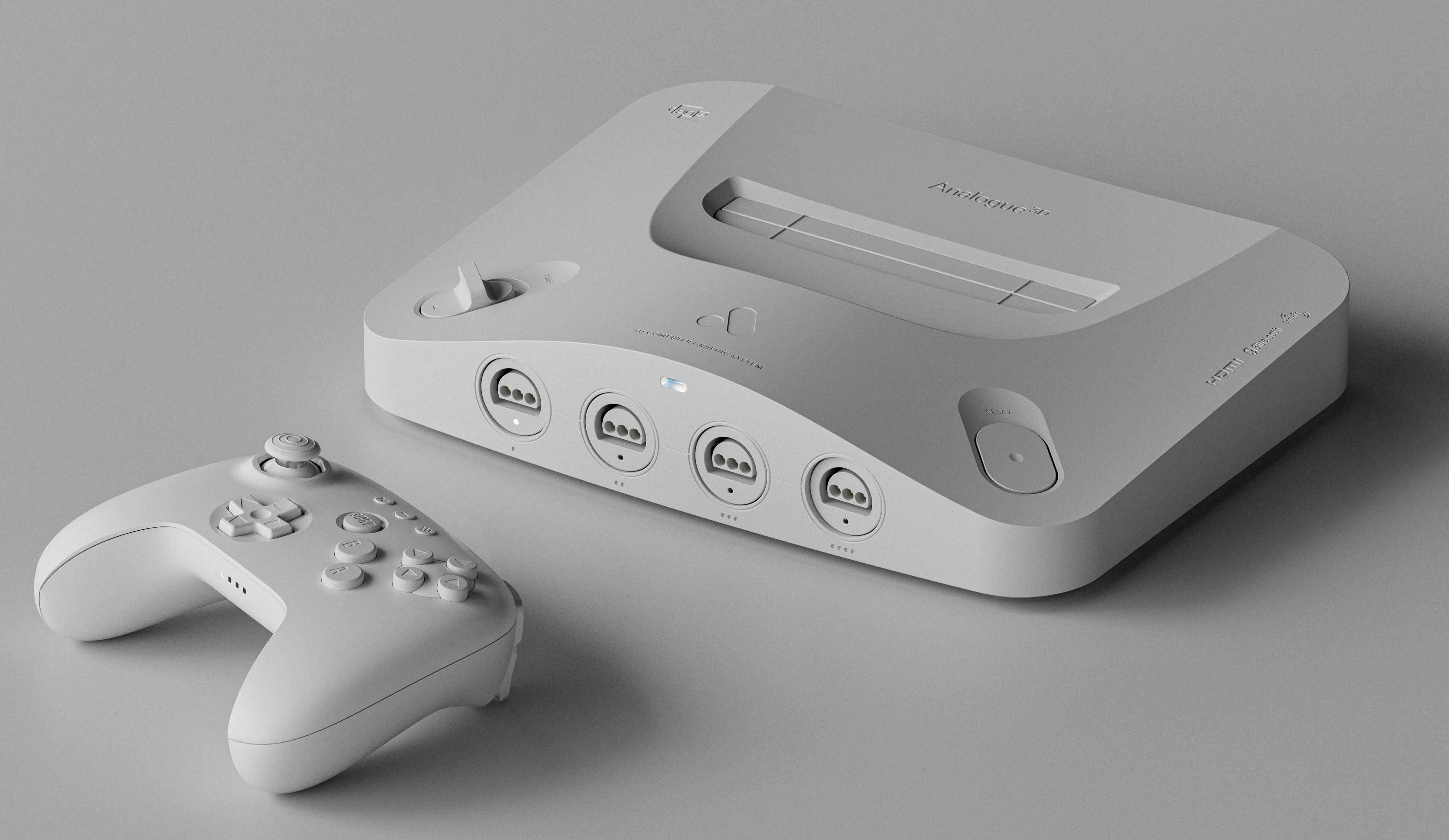
The N64 core on the MiSTer FPGA has existed for quite a while now. The Analogue 3D finally shipped to reviewers and pre-orders. There are dozens and dozens or reviews on YouTube and various other spots on the web. It appears to be a success that most folks are very happy with. It does upscale to 4K. I don’t have a 4K TV and it isn’t something I’m very interested in. It does allow for using original N64 controllers and game cartridges and (perhaps with some effort / updates) Everdrive type ROM carts. It does offer some speed enhancements akin to the MiSTer FPGA N64 alternative 80MHz core build. From what I’ve gathered watching a largish number of reviews thus far, not a lot of users are that excited about the 4K upscale… and anyone who wants 4K upscale on the MiSTer FPGA has had several (somewhat pricey) options for a long while now.
ModRetro has their M64 FPGA-based console coming out Real-Soon-Now and it will likely eventually have the option to use other FPGA cores as well… and don’t forget the creator of the MiSTer FPGA N64 core worked on it. ‘Nuff said.
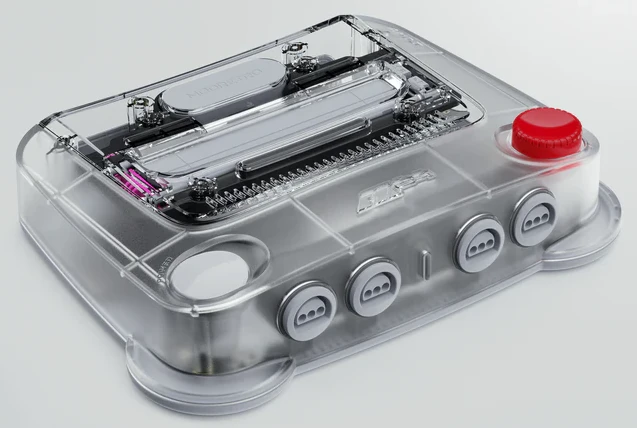
Both the Analogue 3D and the ModRetro M64 are purpose built Nintendo 64 replacements and their hardware designs do not really have any features, so far as I can tell, that would lend themselves to more general purpose use.
I thought it apropos that I decided to get the Nintendo 64 4-port SNAC adapter for my MMS2 and put it through its paces at this point in time. The MiSTer FPGA N64 setup isn’t anything to sneeze at and compares very favorably to the more commercialized competition. The MiSTer FPGA just has so much more functionality and flexibility to accommodate so many things. As we all know, and this article has discussed at length, while having so many options might be confusing for some users, you can pretty much get whatever design you want to meet your preferences. The MiSTer Multisystem 2 is the best option for a general purpose MiSTer that easily and elegantly adapts to all of the console cores with its wide range of SNAC carts.
Heber supposedly has a MMS2-based JAMMA option in the works for those wanting to drive arcade cabinets with an all-in-one board design.
CONCLUSION
Heber is really doing some wonderful work. They aren’t the cheapest option out there but they appear to have the design and technical talent to be able to compete with the best of them. They have successfully designed and shipped multiple products within reasonable time frames. I highly recommend. Having had so many different MiSTer FPGA systems over the years, I know the Multisystem 2 will be my system of choice for some time to come.
The only suggestion I have for future improvements would be for some sort of internal switch that allows for switching between analog outputs and a DUAL RAM setup… but admittedly, there are SINGLE RAM flavors of both the Sega Saturn core as well as the Atari Jaguar core. I also wish Heber would work with some retailer in the US (MiSTer Addons?).
Ow, a lengthy article……. I like that 😉
I’ve seen this MiSTer variation evolve over time and it looks very capable.
The only thing I personally just don’t like is the angular shape of the front. It’s just really not my thing.
I do like the idea of the cart style SNAC options, that’s really a cool idea. But one thing that comes to my mind is: How heavy is the MMS2? And how is it balanced regarding the SNAC carts?
When looking at that ‘tall’ N64 SNAC cart I just can’t imagine this thing not tilting to the front if for whatever reason the controller cable is pulled (like in a enthusiastic moment and so on or simply the weight when there are up to 4 controllers connected).
I do really like the idea of adding that 50 pin connector for possible future expansion, for instance with game carts.
Overall, good stuff and having options is good thing!
Btw, regarding the SS1: I think a lot of people (like me who has it pre-ordered) will be interested in it specifically because of the dock’s optical drive. And not only will it play PS1 games, it will also allow for discs from other systems which is just really nice. One unfortunate thing for people who don’t care for the optical drive: for now not only are the regular SNAC ports but also a NVMe SSD only use-able using this version of the dock. So it would be cool if other versions of the dock will be released in the future. Which might become a thing, because Taki also showed the possibility of maybe adding cart functionality. But that has zero priority now. Ow, and the front-end (menu and so on) of the SS1 is looking awesome too.
Thanks for the article!
I can understand the perception that the cart sticking up with 4 controllers plugged in (the TGfx/PCe SNAC cart can accommodate 5 controllers) might have a balance issue… but I didn’t run into that. In the picture, it only showed 2 N64 controllers plugged in but I can tell you I did have sessions with 4 controllers and as long as the MMS2 is sitting on a flat surface, it is well balanced and stable. Of course if the cable length on the controllers is too short and one or more users end up tugging on the cables… it might want to slide if it is on a slippery surface. The MMS2 is pretty light and I kinda wish it was taller and had some lead weights in it to make it look and feel more hefty… but it is fine.
That’s good to hear, thanks for the follow-up!
And since the case can be printed by ourselves, what’s withholding someone to customise the case for some additional weight, maybe in the form of ‘pockets’ to hold actual weights.
I didn’t mention it in the article, but thinking more about it now… the SuperStation One only has 2 USB ports. Period. AND it only has non-PSX SNAC options IF you have the Dock. To me, that will be an oversight that smacks some folks in the face. Compare that to the Multisystem 2 that has 7 USB ports and SNAC carts… without the extra cost of a Dock.
One can put a USB SSD inside of the MMS2 using the internal USB port if you want. I’ve only ever used microSD cards for storage myself.
In the original mms i have added the hard disk the nfc reader and the oled screen. Since you mentioned that you didn’t try the nfc thing, please do. Is particular inexpensive to get a reader and some cards to test it out ( you can find readers around 10 eur on aliexpress e cards for around 30 cents each )
I’ll add an NFC reader to my long list of stuff I want to get in the near future. Thanks for the suggestion.
The SS1 has a NFC reader built in which is an additional cool feature. Ready to go for some Zaparoo zappin’ 😉
Without the dock it has 3 USB ports, with the Dock it has 7 too.
But again, I think the main draw to the SS1 is the actual Dock for the optical drive. Multiple people I have spoken to that have pre-ordered it only did so because of the dock.
And it’s not that expensive in my opinion and cool that it’s optional if you just want to have a sleek and cool looking MiSTer system.
Thanks for the correction. The SuperStation One indeed will come with 3 USB ports. I missed the one on the front. It still seems to me though, that the SSO isn’t really complete without the Dock. I wonder how many SSO pre-orders decided to NOT go for the Dock… at least not initially? If I had to guess, I’d imagine that > 50% went for the Dock. I have no real data to go on… but it would be interesting to hear from Retro Remake if they are willing to say.
i have the first multi system, and i love it. Is a bit larger to carry around that the standard mister and i m a bit frustrated that using the i2c port is not straightforward on the first model.
This one comes with improvements here and there and lower cost which is great, i wish they added the non standard 9pin snack in front like a db9 and the audio for the scart on the vga port as antonio villena did on his models. Then for me would have been worth an upgrade.
But from all the boards made for mister in the years, this and the superstation one ( that are equivalent ) make the most sense.
Heber answered my questions from their Bluesky acount:
https://bsky.app/profile/multisystemfpga.bsky.social